The ACBuy Spreadsheet, laid out by ACBuy's own product groups
A catalogue of marketplace items you can order through ACBuy, laid out by the product groups ACBuy itself uses when a parcel is priced. Start here, then read how a label set on arrival shapes the route list.
Catalogue sections, in estimator order
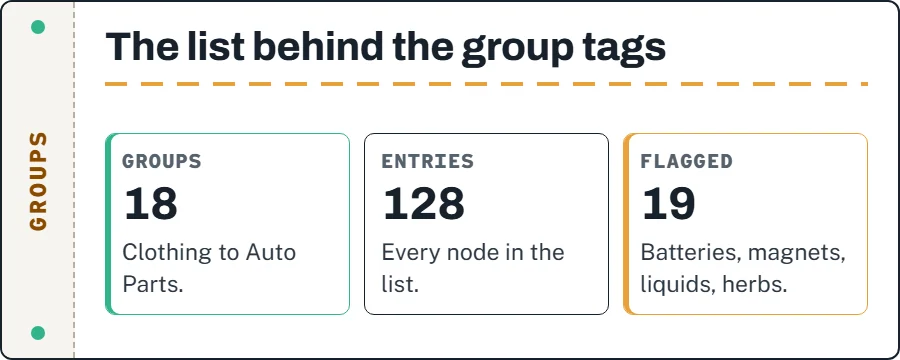
These are the same sixteen sections as on the front page, with a little more room to explain the order. The first seven all fall under Clothing in ACBuy's product-type list. Even Clothing has a “Built in battery&magnetic” entry next to its Common Goods entry, for things like heated jackets. Further down, Watch adds a “Supporting Battery” entry and Cosmetics splits liquids into three volume bands. That branching is where mailing restrictions come from, which is the subject of the rest of this site.
 CategoryOuterwearEstimator group: Clothing
 CategoryHoodiesEstimator group: Clothing
 CategoryT-shirtsEstimator group: Clothing
 CategoryJeansEstimator group: Clothing
 CategorySweatpantsEstimator group: Clothing
 Search resultsWomenswearEstimator group: Clothing
 CategorySports jerseysEstimator group: Clothing
 CategorySneakersEstimator group: Shoes
 CategoryHatsNo hat entry in the list
 CategoryJewelleryEstimator group: Ornaments
 CategoryWatchesEstimator group: Watch
 CategoryEyewearEstimator group: Glasses
 CategoryBagsEstimator group: Luggage
 CategoryBeltsEstimator group: Belt
 CategoryPerfumeEstimator group: Cosmetics
 CategoryElectronicsEstimator group: Electronics
The “Category” or “Search results” tag on each card says what kind of page it opens. Women's picks is a search, because the catalogue has no single women's section.
Catalogue card first, ACBuy checkout second
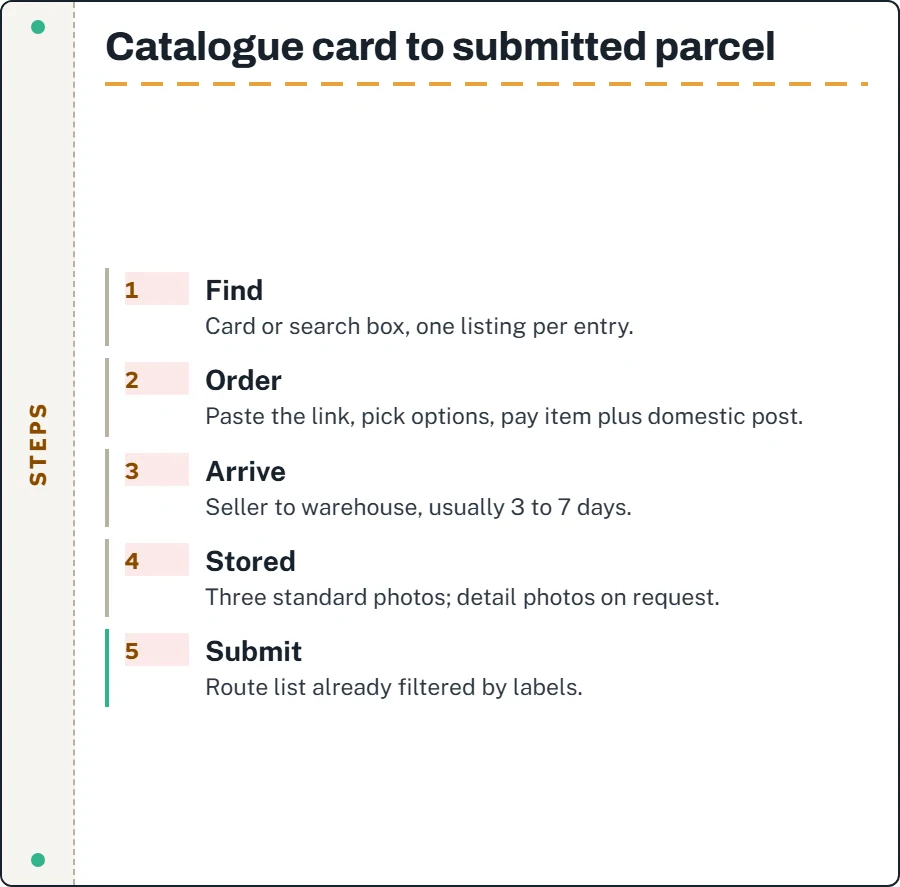
- Find an item through a card or the search box. Each catalogue entry points to a listing on a Chinese marketplace.
- Copy the listing link into ACBuy's search bar. If the details do not fill in, ACBuy's DIY order form takes them by hand. Choose the size or colour and pay for the item and the seller's domestic shipping from your ACBuy wallet.
- Wait for the seller to send it to the warehouse. ACBuy says sellers usually arrive in 3 to 7 days.
- When the item is marked Stored, look at the three standard QC photos and order detail photos if you need them.
- Select the stored items, submit them as a parcel, pick a route the screen allows and pay the shipping.
The complete nine-step official order guide explains purchase through delivery. The route list at that point has already been filtered by the labels the warehouse set on your goods, so it is worth reading how those labels work before you buy something with a battery in it.
Turn a useful find into an unambiguous request
Start with a category or a descriptive search, then open the original seller listing. Record the item URL, selected option, measurements and quantity. A catalogue image is a discovery aid; even a familiar photograph can appear against different materials or versions. Recheck the price after selecting your size rather than treating the first displayed figure as the price of every option.
ACBuy is the buying intermediary, the shop is the supplier and the carrier performs the delivery. Their records answer different questions. Keep the seller link for what was promised, the agent order for what was purchased and the parcel reference for what was sent. This Spreadsheet helps connect those stages without taking payment itself.
Listing details the warehouse will read
A catalogue card shows a photo, a price and a title. The warehouse reads the item itself, and ACBuy says the staff set restrictions “according to the attributes of the goods”. The attributes that matter are usually visible before you order if you read the listing rather than the photo.
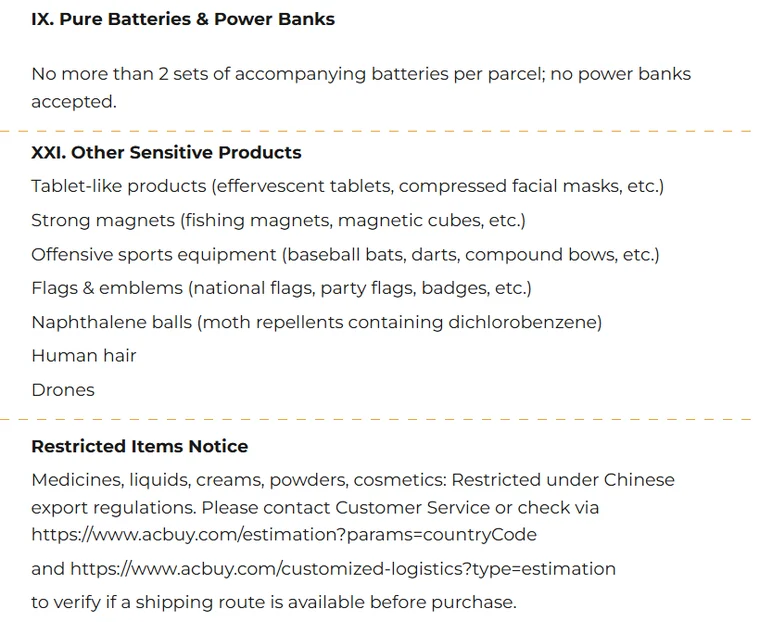
- An item that charges, lights up, beeps or vibrates may use a battery or an external power supply. Confirm the exact power source; the product-type list has a separate entry for built-in batteries and magnets in eleven of its eighteen groups.
- Magnetic closures, magnetic phone mounts and magnet toys fall under the same entry; ACBuy's restricted list also names strong magnets.
- Volumes in millilitres put an item into the liquid bands: below 100 ml, 101 to 150 ml, 151 to 200 ml.
- Sets that include a spare battery count: ACBuy accepts no more than two sets of accompanying batteries per parcel, and no power banks.
None of this tells you whether a given item will be accepted, and this site will not try to predict it. It tells you which items are worth a closer look at the listing before you spend money.
Why this spreadsheet follows the parcel past checkout
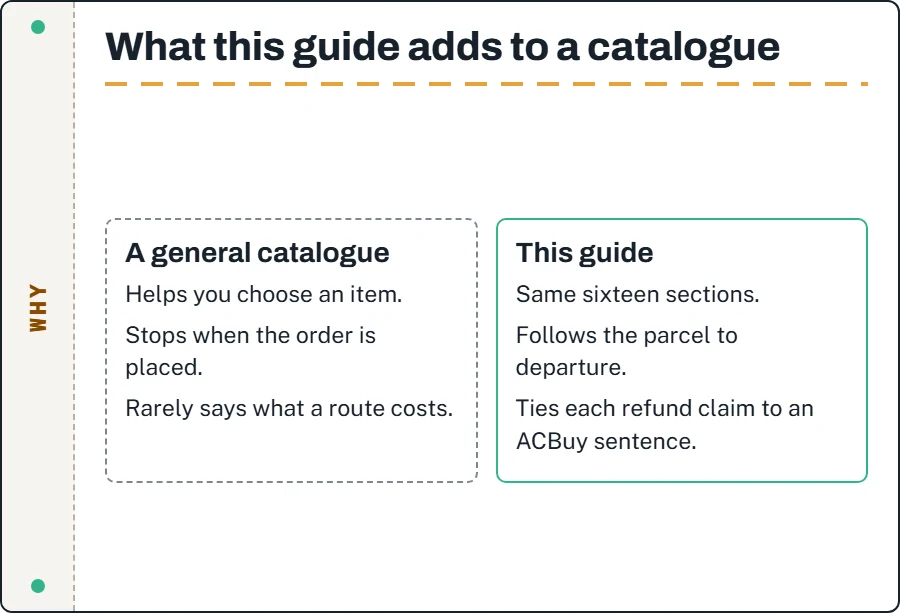
Plenty of catalogues help you pick an item. Fewer help you once the item exists in a warehouse and the next decision is a route. We built this one around that moment because it is where ACBuy's documentation is most specific and where buyers most often lose track of their money: an item price paid weeks ago, two photo requests, a rehearsal, a shipping payment, maybe a coupon.
What we do differently is tie every claim about a refund to a sentence ACBuy has published and a link to where it says it, and mark the gaps as gaps. The catalogue cards are kept to sixteen sections so that every link can be checked by hand; dead links are removed on the next review rather than left to pile up, and the notices page records when that happened.
Judging any finds list, this one included
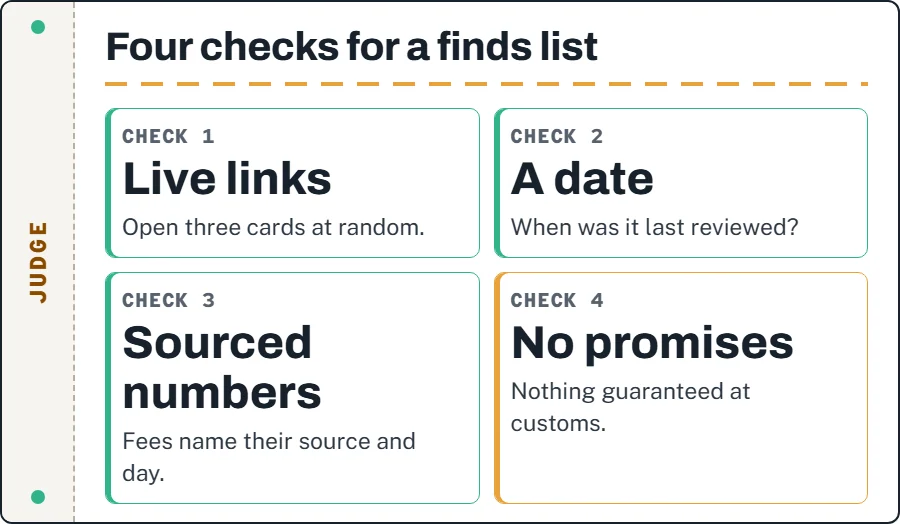
Here is how to judge a spreadsheet site before you trust it with your shopping list. Open three cards at random and check that the link still reaches a live listing; a list with dead links on the first screen is not being maintained. Look for a date: a catalogue that never says when it was last checked is asking you to assume it was recently. Read what it says about money. A site that quotes fees should say where the number comes from and when it was read.
Then look at what it does not say. A good list does not promise that an item will clear customs, does not invent a rating, and does not tell you to describe goods as something they are not. Apply all of that to this site too; the About page explains how we check our own links and facts.
Catalogue questions, answered from ACBuy's pages
Does every card lead to an item ACBuy can buy?
No. Cards point to marketplace listings. ACBuy lists Taobao, Tmall and 1688 among the regular platforms it buys from without a purchasing service fee and takes other platforms through its DIY order form, but stock, seller rules and listing changes are outside anyone's control.
Why are hats marked with no group?
ACBuy's product-type list has no hat entry. When you price a parcel with caps in it, you pick the closest group yourself, and the warehouse sets its own label regardless.