

Your first ACBuy order, in the official nine-step order
From choosing a listing to delivery: the original tutorial images, with the decision to check at each stage.
Sequence and images match ACBuy’s official shopping guide captured on 16 October 2026. Screenshots show an example interface, prices and balances; confirm current details in your account.
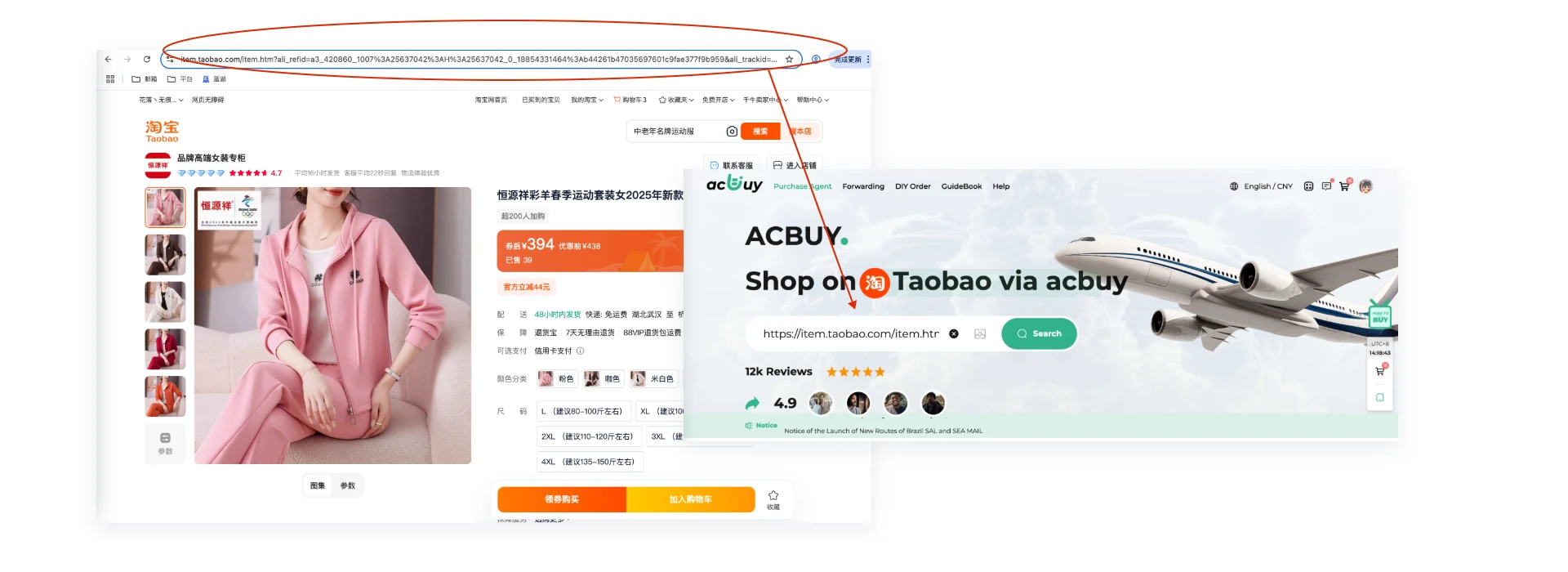
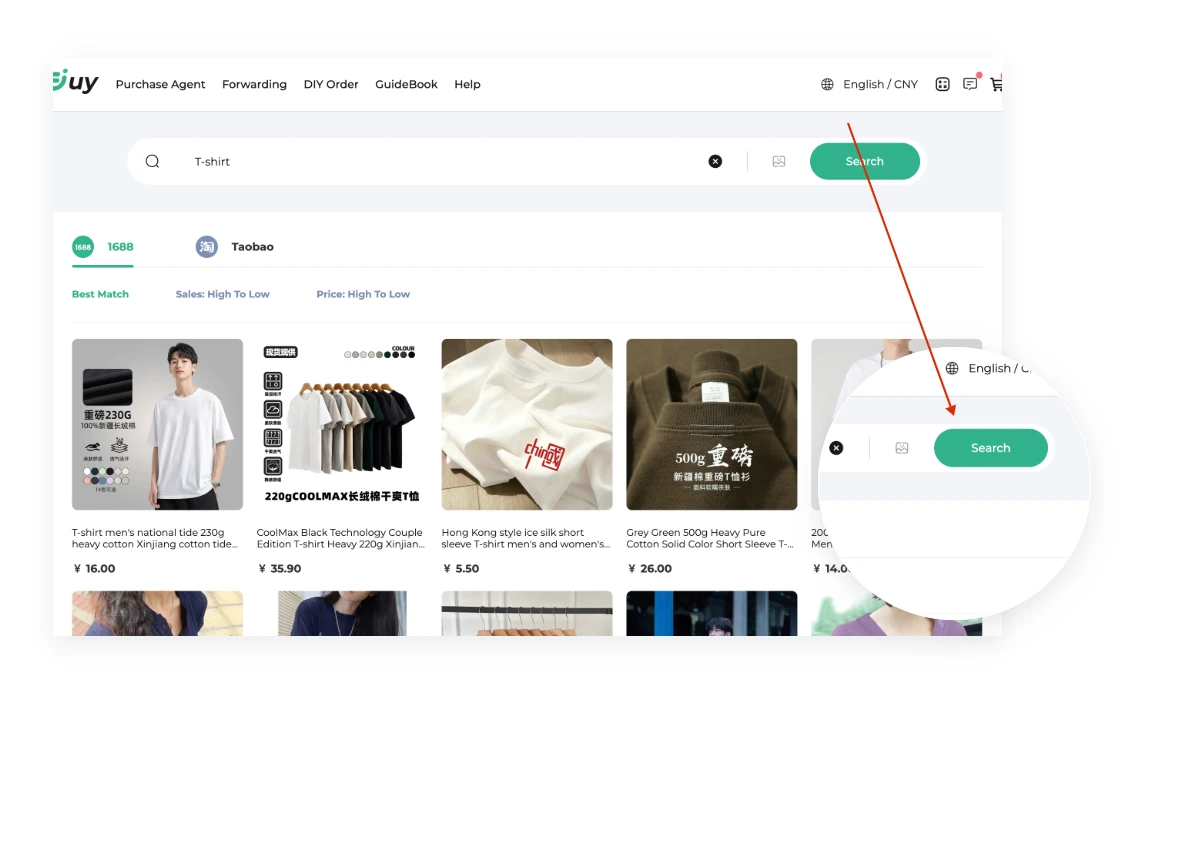
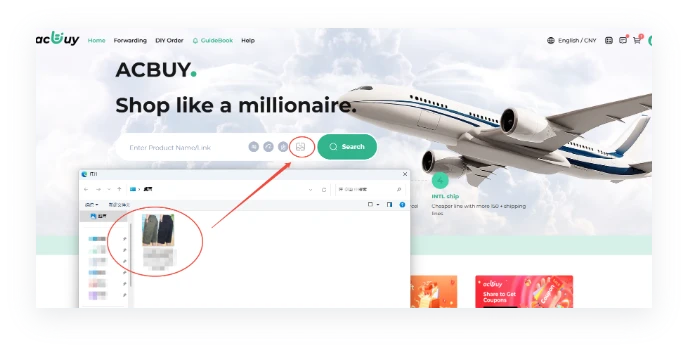
1. Select a product
Use a marketplace URL, a product-name search or image search on ACBuy. Check that the returned item is the one you meant. If the link leads to DIY Order, enter the seller link and exact product details for manual handling; link import or a search result does not confirm current purchase availability.
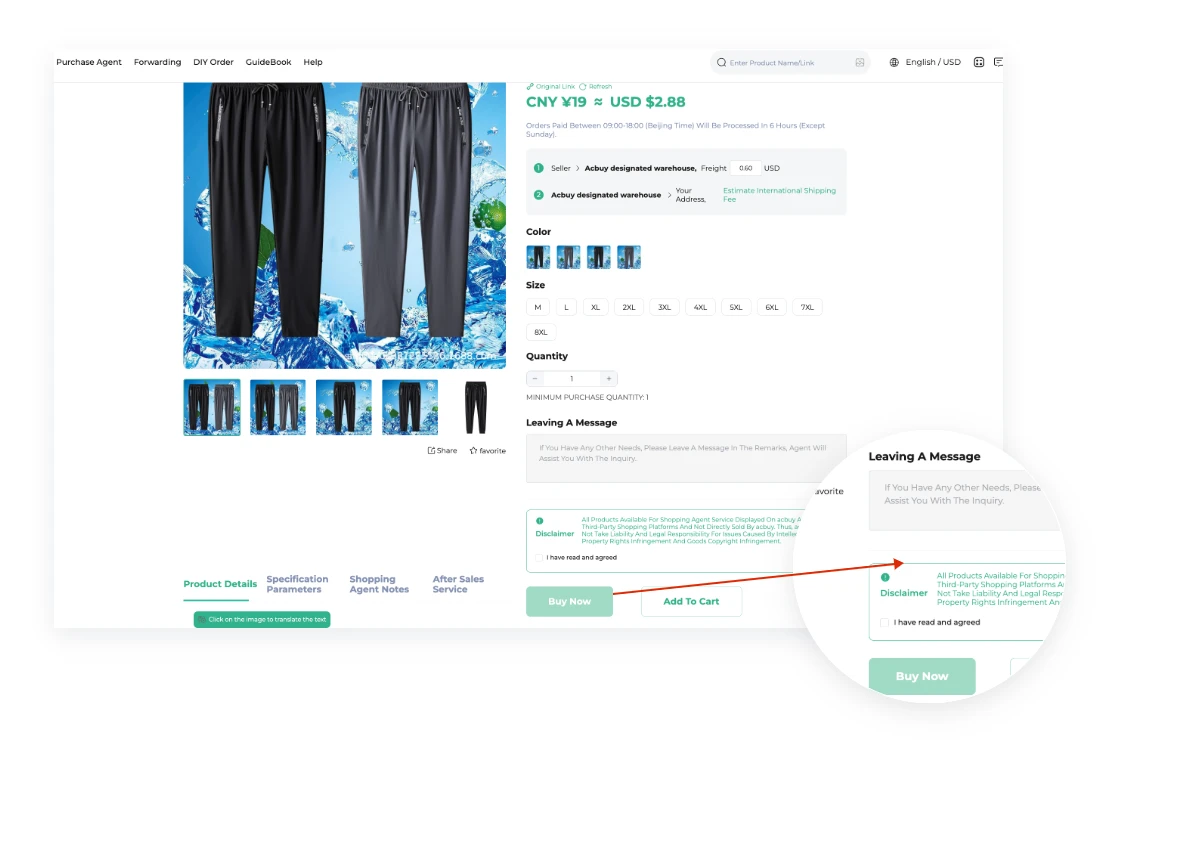
2. Place the order
Choose the exact colour, size and quantity. Check whether the price covers a single piece or a set, then use Buy Now or the cart checkout. Put precise requests in the order note and confirm any request the agent cannot fulfil automatically.
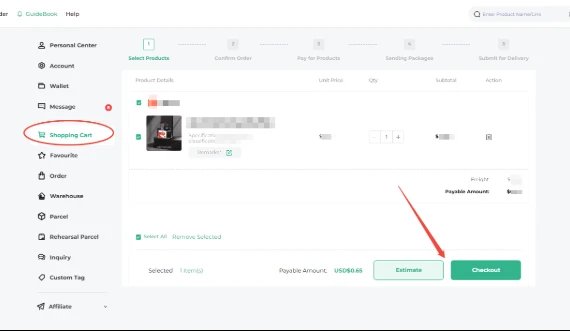
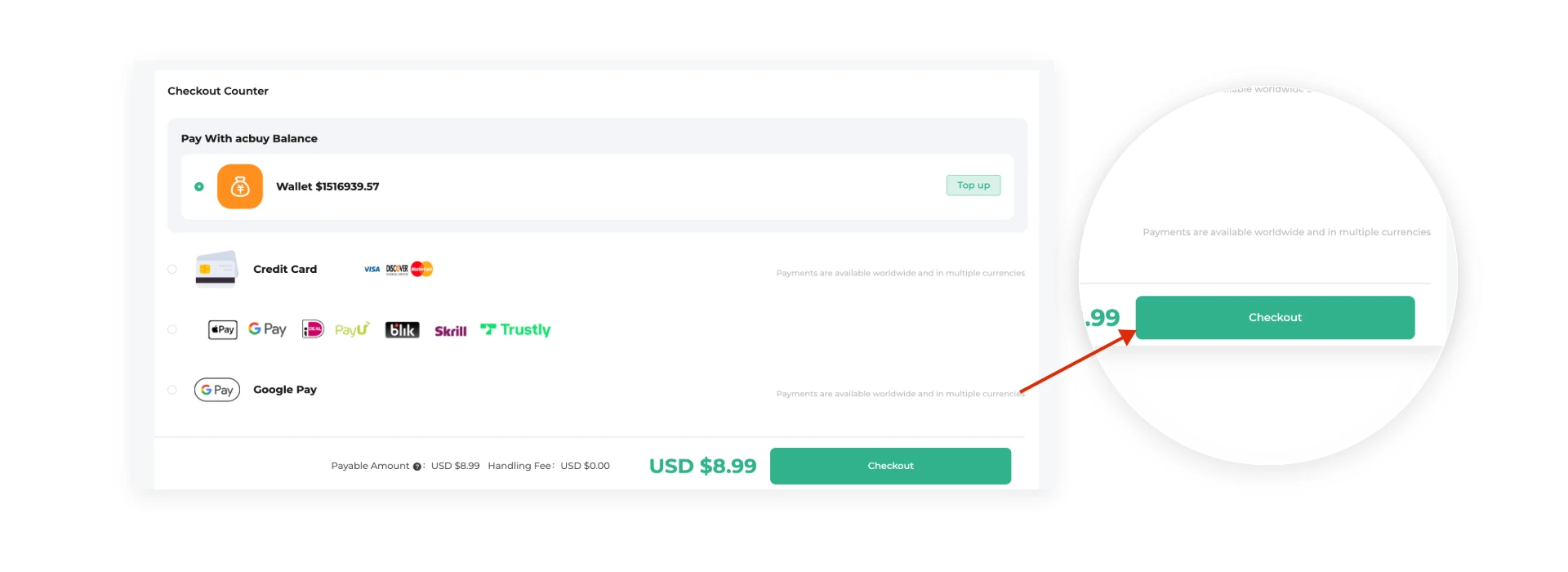
3. Pay for the order
Review the product cost and domestic shipping from the seller to ACBuy’s warehouse. Check the payment method, conversion and any charge shown before paying. This is separate from international shipping. Keep the order and payment references.
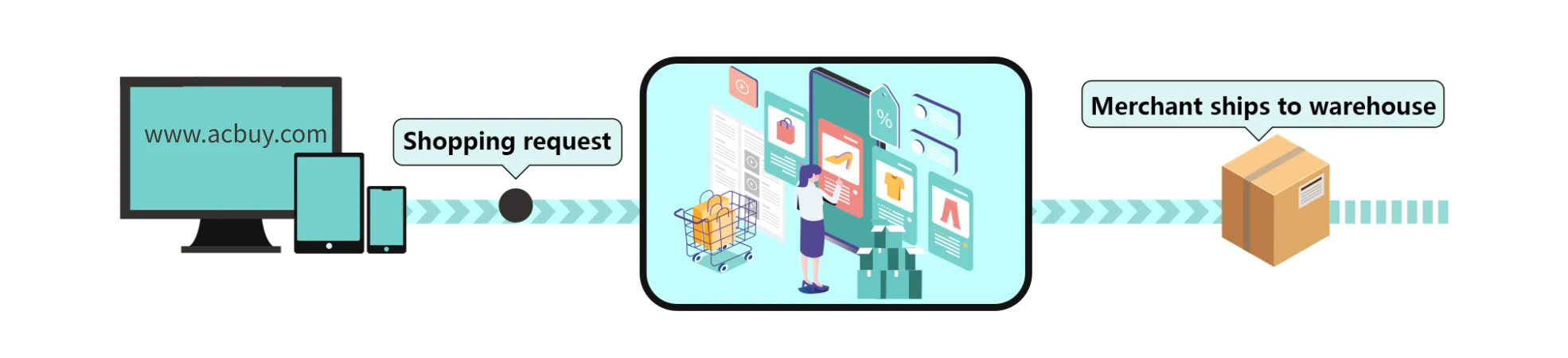
4. The agent purchases
ACBuy contacts the seller and handles the purchase. Follow the actual order status; a request is not proof of seller dispatch. Use Order Inquiry for order-specific questions and respond to account messages about unavailable variants or changed costs.
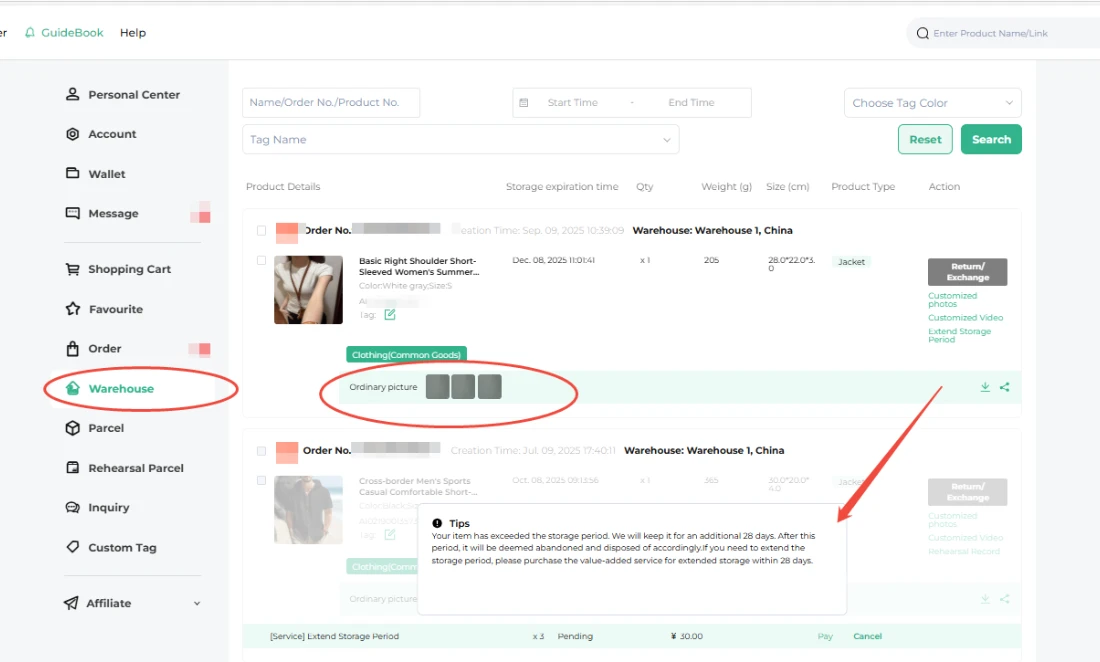
5. Inspection and storage
Once the item is stored, open Me → Warehouse and compare the QC images with the selected option and order notes. Ask for a useful detail view if needed. The captured standard check is visual and does not test electronics or guarantee fit. Resolve an eligible return promptly; the published no-reason process uses 120 hours from Stored and requires seller agreement.
Make the warehouse pause useful
QC is the visual check of the goods received in China. Compare size labels, count, colour and visible damage against your saved selection. For a fit question, request a particular measurement and compare it with a garment you own. For a missing accessory, ask for a view of all included pieces. Standard photographs do not certify authenticity or prove that an electrical product works.
Keep a return or exchange question attached to the item order before submitting the parcel. Packing several items together is a later decision: incompatible contents, volumetric weight or extra protection can make separate shipments more suitable. Check the line’s restrictions and final weight basis, then review the shipping payment rather than assuming the product checkout already covered delivery home.
6. Submit a parcel
Select the stored items, enter the recipient address and review the routes offered for that selection. Read any unavailable-route reason and the actual route restrictions. Choose packaging or insurance only after checking its scope. Rehearsal is a paid simulated packing service, not dispatch.
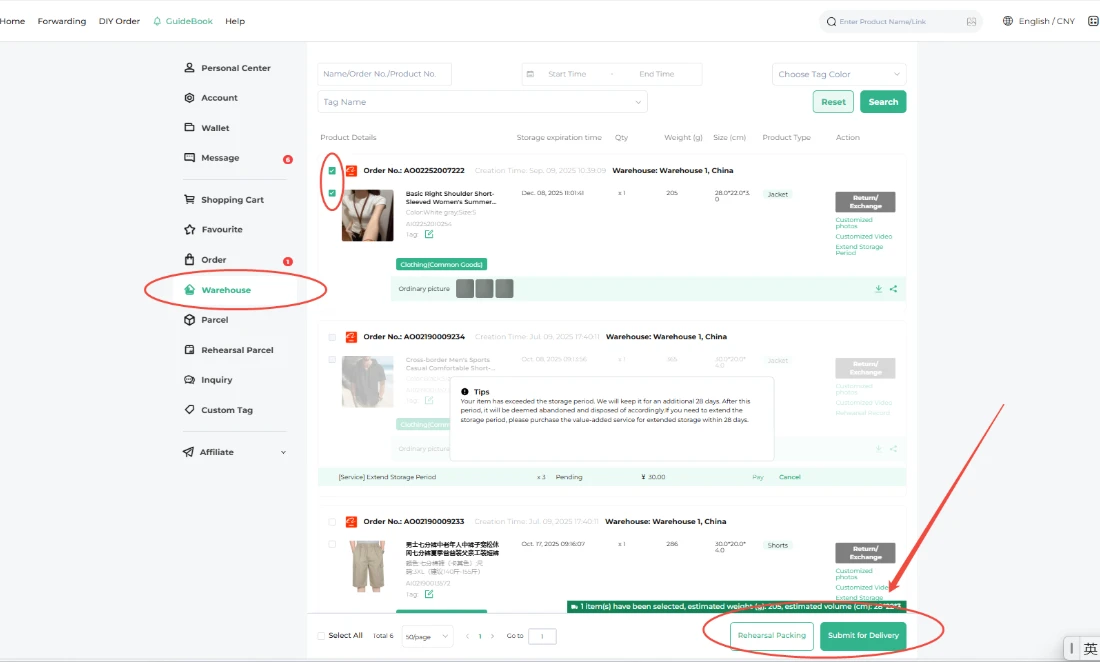
7. Pay the international shipping deposit
Check the route, estimated chargeable weight, destination and itemised charges. The deposit can include customs/declaration, warehouse handling and selected services. A coupon has its own conditions. Save this quote so it can be compared with the final parcel charge.
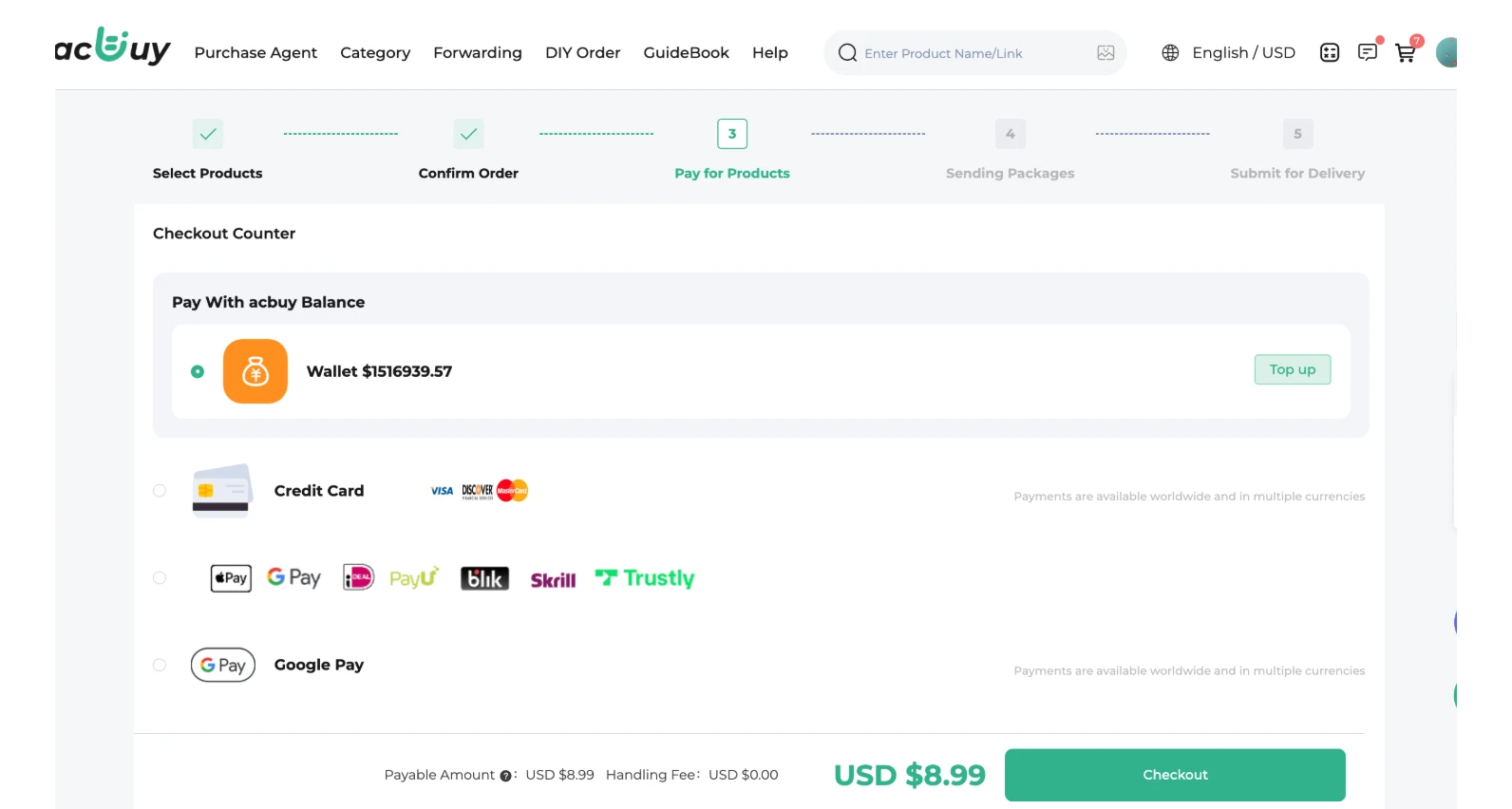
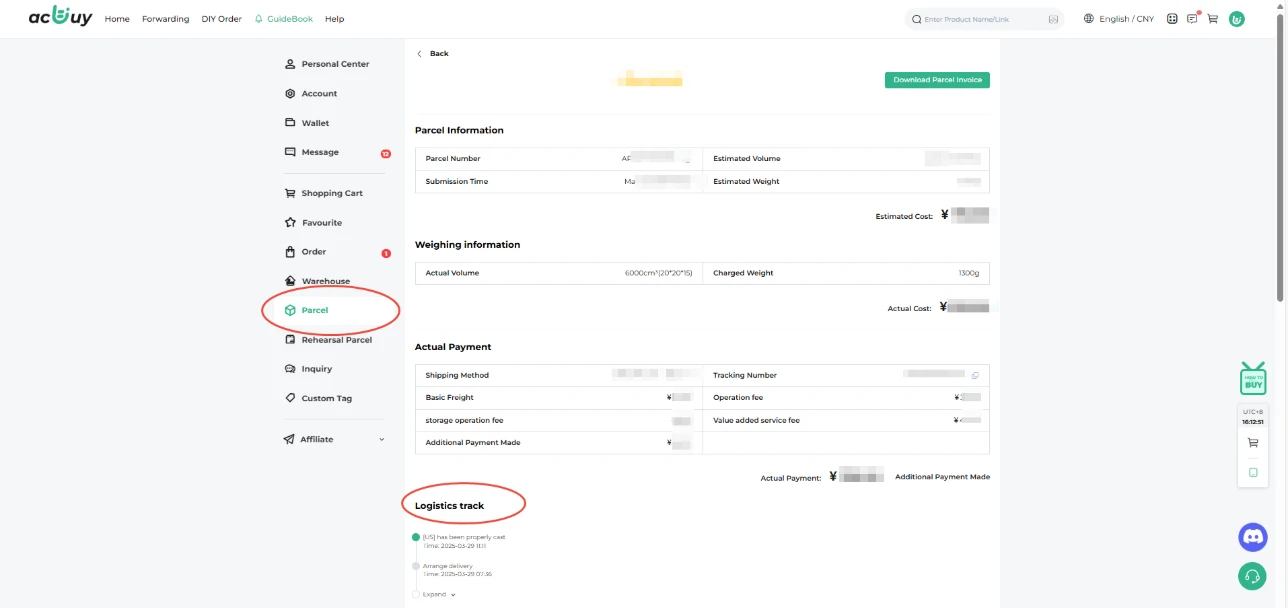
8. Packing and shipment
The warehouse packs and measures the parcel. The official guide describes a final freight adjustment: an excess deposit is refunded and a shortfall may require payment. Check Me → Parcel → Parcel details for the actual bill and tracking. A missing scan alone does not establish loss or a refund.
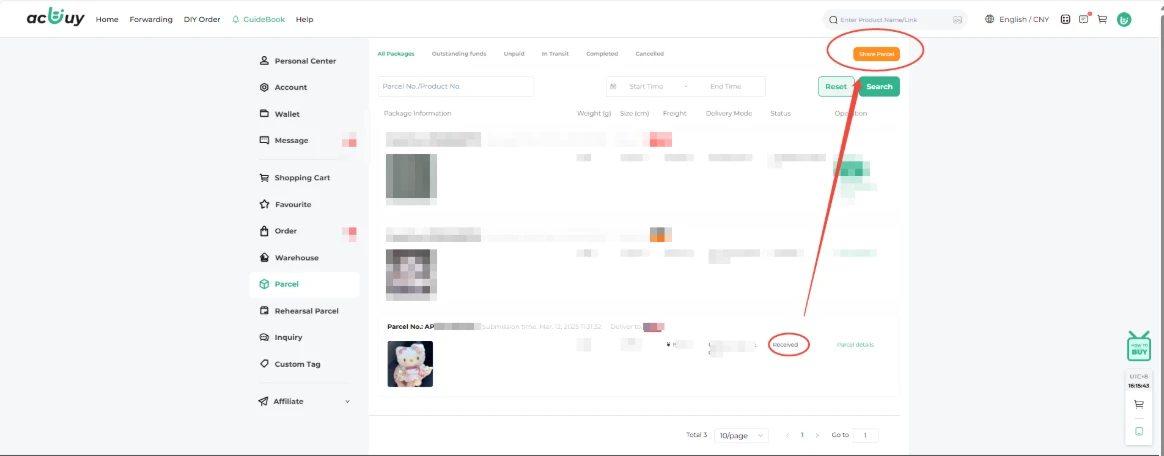
9. Delivery and account follow-up
Check the parcel and its contents when it arrives, retain the packaging and report any issue through the applicable carrier and ACBuy process. Confirm receipt only for a parcel you received. The final official step also introduces account rewards; any redemption depends on the current account rules.
Keep three records before shipping
Keep the selected seller option, the warehouse QC record and the parcel quote. Together they show what you ordered, what was received in China and what you paid to ship it.
The captured storage terms give 90 free days from Stored, conditional paid extension and a 180-day maximum. Do not treat a grace period as a reset; check each item’s account deadline before waiting for more purchases.
Inspect the QC photos · Read the charge breakdown · Contact and issue-reporting help