ACBuy mailing restrictions: the label your goods get on arrival
Before any route is offered, warehouse staff have already labelled your goods. Here is what ACBuy says about that label, where it shows up, and what it does to the route list.
Who sets a mailing restriction, and when
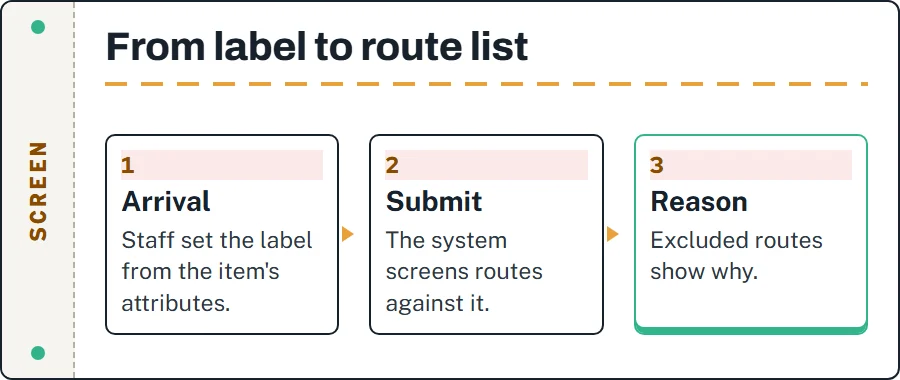
A mailing restriction is a label on a stored item, not a rule you can look up in advance. ACBuy's article What to Do If No Route is Available When Submitting a Parcel says that when the goods reach the warehouse “the relevant staff will set mailing restrictions according to the attributes of the goods”. When you submit a parcel, the routes are screened against those labels and only the ones that suit are shown.
Two things follow. The label exists before you see a route list, so the route list is already a verdict. And the label belongs to the item: you can move it to a different parcel, but it travels with it. The article's own advice for an empty route list is to click “View Reason” on the route you wanted and contact online customer service to verify the situation. That is the whole procedure ACBuy publishes, and this site does not add steps to it.
The reason line on the submit screen
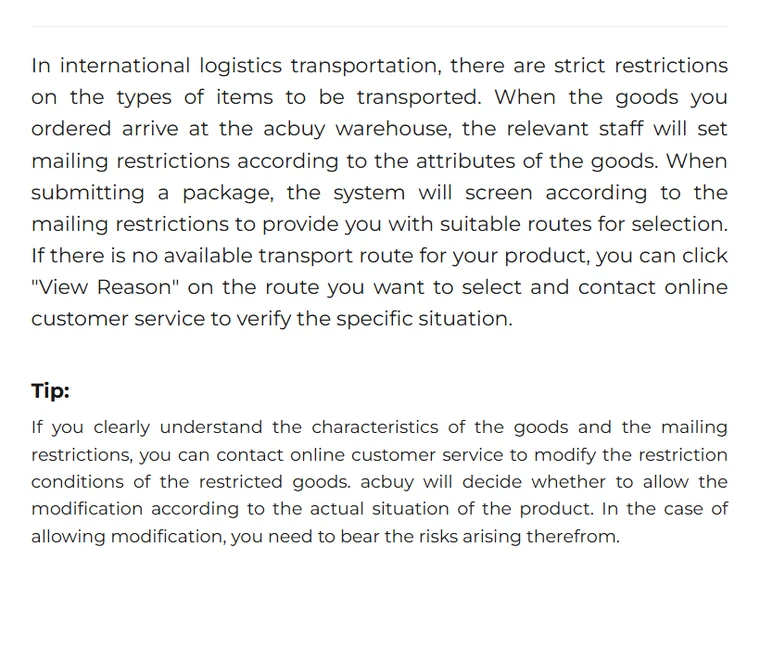
ACBuy's Shipping Restrictions Q&A shows what the buyer actually sees. A route card carries its usual details, and underneath sits a yellow strip that starts “Reason for unavailability”. In ACBuy's example it reads that the parcel contains prohibited items and cannot be dispatched. The same article says the strip appears when the ordered items reach the Warehouse status and either a shipping restriction applies or a region cannot be reached.
That second cause matters. A greyed-out route is not always about your goods; some routes simply do not serve every address. Read the strip before you assume the item is the problem, and keep a screenshot of it. It is the only written record of the label the warehouse chose, and customer service will ask what it says.
One labelled item holds back the whole selection
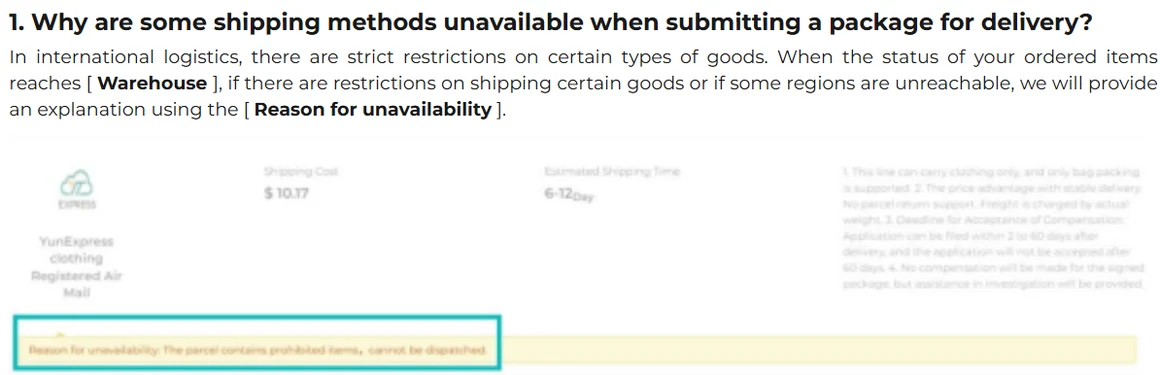
ACBuy's short article on stored goods that will not submit together says two things. If certain goods in the Warehouse have specific shipping restrictions, submitting all goods as a single package will not be allowed. And goods marked “Individually Packaged” cannot be combined with other goods for shipment.
In practice this is where most buyers first meet a label. You tick fourteen items, press submit, and the route list is empty or nearly so; one item with a built-in battery has narrowed the choice for all of them. ACBuy's recommendation is to choose a route that suits the restrictions on your items. Whether that means splitting the selection is a question for customer service, since the label and the route rules are on their side of the screen.
The product-type list behind the labels
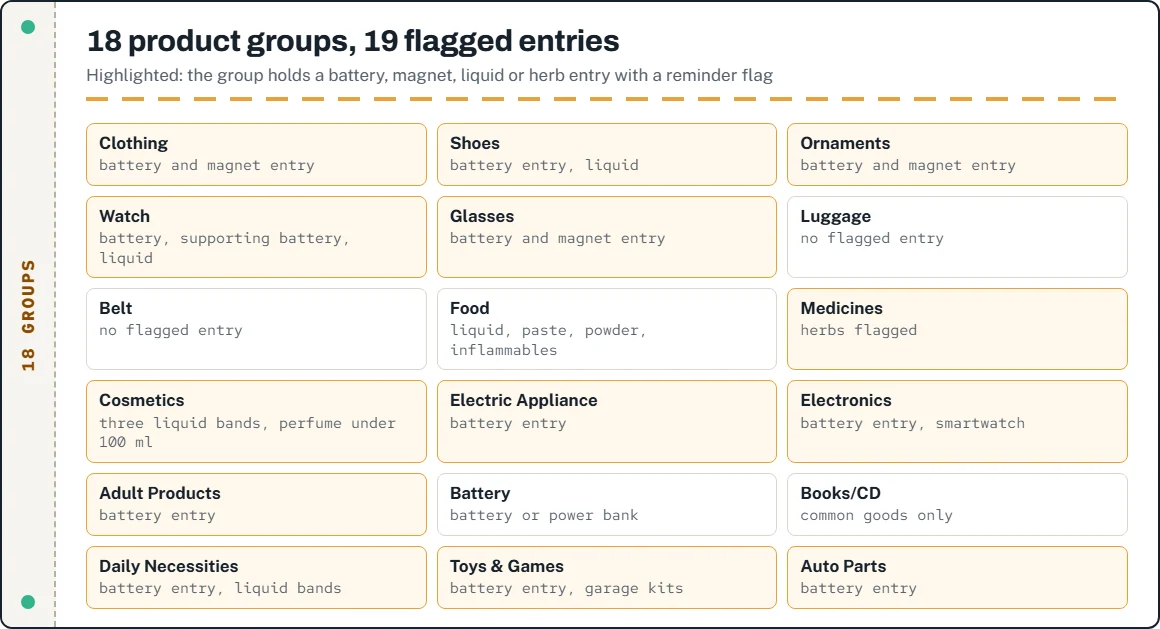
ACBuy does not publish the rules its staff use, but its shipping estimator exposes the vocabulary. The product-type picker, served from the estimator on 16 October 2026, has 18 groups and 128 entries. Nineteen entries carry a reminder flag: “Built in battery&magnetic” in eleven groups, three liquid bands in Cosmetics and again in Daily Necessities (below 100 ml, 101 to 150 ml, 151 to 200 ml), perfume and nail polish below 100 ml, and herbs under Medicines.
The flags line up with the restricted list ACBuy publishes separately, which names lithium batteries, perfume, nail polish and strong magnets. Picking an entry in the estimator changes which routes it quotes; it does not change what the warehouse decides when it sees the item. Use it to see which routes exist for a kind of goods, not to predict a label.
Batteries, liquids and the one-tenth suggestion
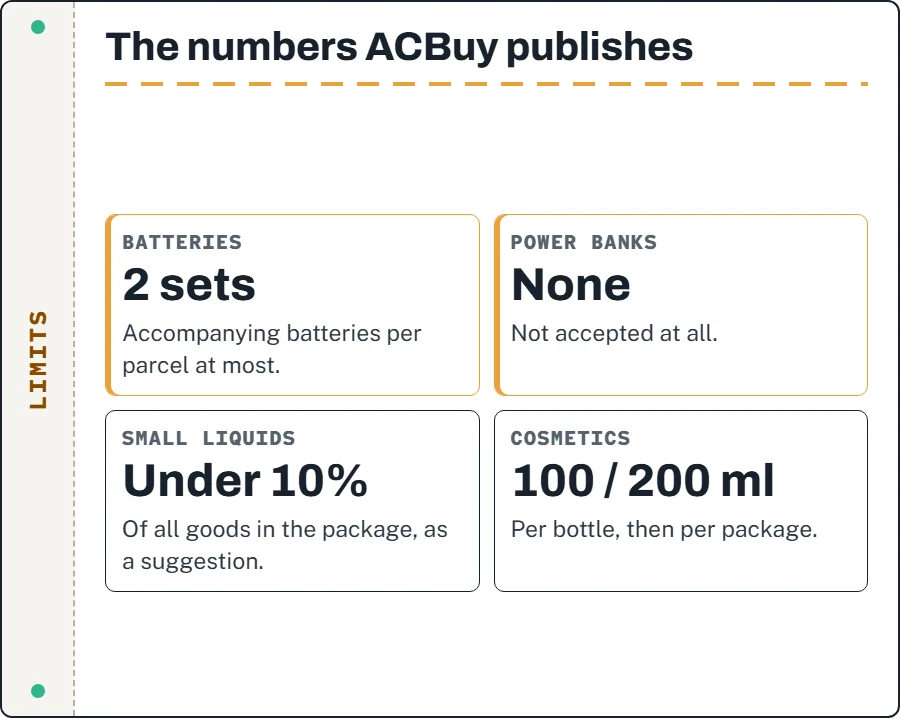
Three numbers recur in ACBuy's own pages. Its restricted-items list allows no more than two sets of accompanying batteries per parcel and accepts no power banks. Its Shipping Restrictions Q&A suggests that small liquids, medicines and similar goods make up no more than 10% of all goods in a package. And the same Q&A puts a ceiling on cosmetics: no single bottle over 100 ml, and 200 ml at most across the whole package.
These are suggestions and ceilings from the operator, not a promise that a parcel inside them will clear. ACBuy says plainly that its shipping suggestions are based on conventional transport experience and that it is not responsible for goods detained by customs. The restricted list closes by telling buyers to check routes in the estimator or with customer service before purchase, which is the right order: the time to find out is before the item is bought, not after it is labelled.
What ACBuy says about changing a label
Both relevant articles contain a sentence about lifting or modifying a restriction, and they are quoted here once, as published, because leaving them out would misrepresent ACBuy's position. Neither is advice from this site.
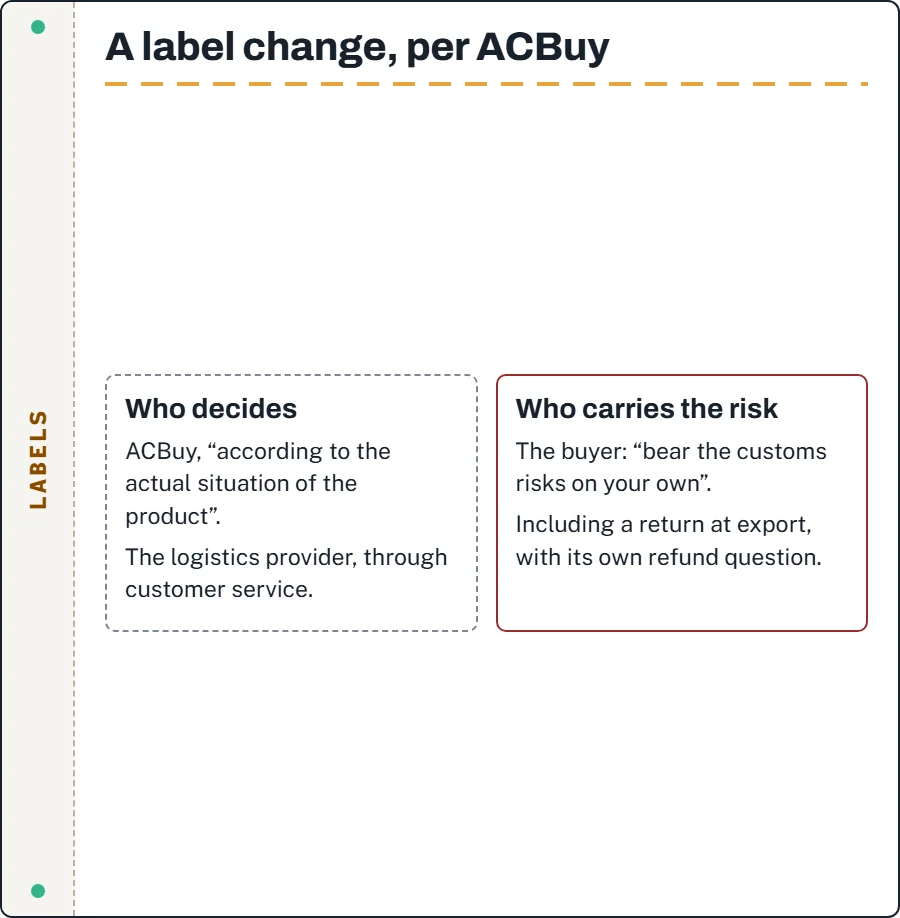
If you understand the characteristics of the goods and the mailing restrictions of transportation, for goods with set mailing restrictions, you can contact online customer service to verify with the logistics provider whether the mailing restrictions can be lifted. However, after the mailing restrictions are lifted, you need to bear the customs risks on your own for shipping.
The other version says ACBuy “will decide whether to allow the modification according to the actual situation of the product” and that you bear the risks arising from it. Read together, the decision sits with ACBuy and the carrier, and the consequence sits with you, including a parcel that is then returned by customs.
Questions about restriction labels
Can I see an item's label before I submit?
Not as a list. ACBuy describes the label only through the route screen: routes it rules out show a reason. Customer service can tell you what was set.
Does a label cost anything?
No charge is attached to a label in any ACBuy article. The cost is indirect: fewer routes, sometimes pricier ones.
If I remove the labelled item, do the rest ship normally?
ACBuy's article says a restricted item stops everything going as one package. It does not promise what the route list will show without it; submit the remaining items and read the list again.