Back in the ACBuy warehouse: the refund, the restock and the second submission
The parcel is home again in Huizhou. Here is what ACBuy says happens next, where the money lands and what to check before you pay for a second attempt.
The station message and the restock
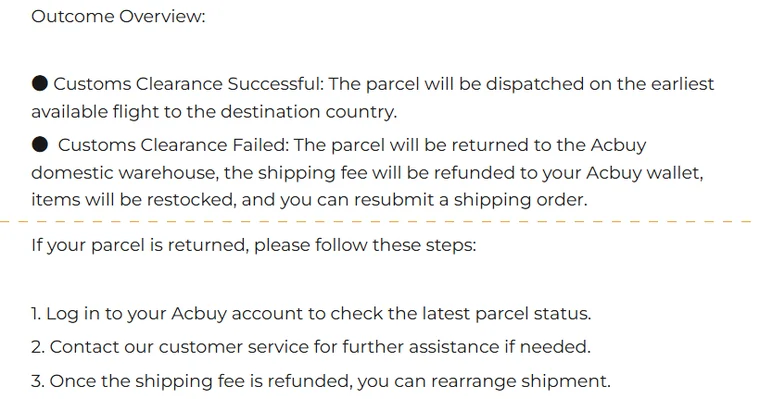
Once the parcel reaches the warehouse, ACBuy says staff restock the items and send you a station message, the notice that appears in your account's inbox. The goods return to your Warehouse page as stored items and can be submitted again whenever you are ready; ACBuy's doc-centre article says “at any time according to your needs”.
Its outcome summary puts the whole thing in one sentence: the parcel is returned to the ACBuy domestic warehouse, the shipping fee is refunded to your ACBuy wallet, items are restocked, and you can resubmit a shipping order. A parcel sent back by customs in the destination country is a different case: ACBuy writes that without shipping insurance its shipping cost cannot be compensated.
Where the refund lands, and how to take it out
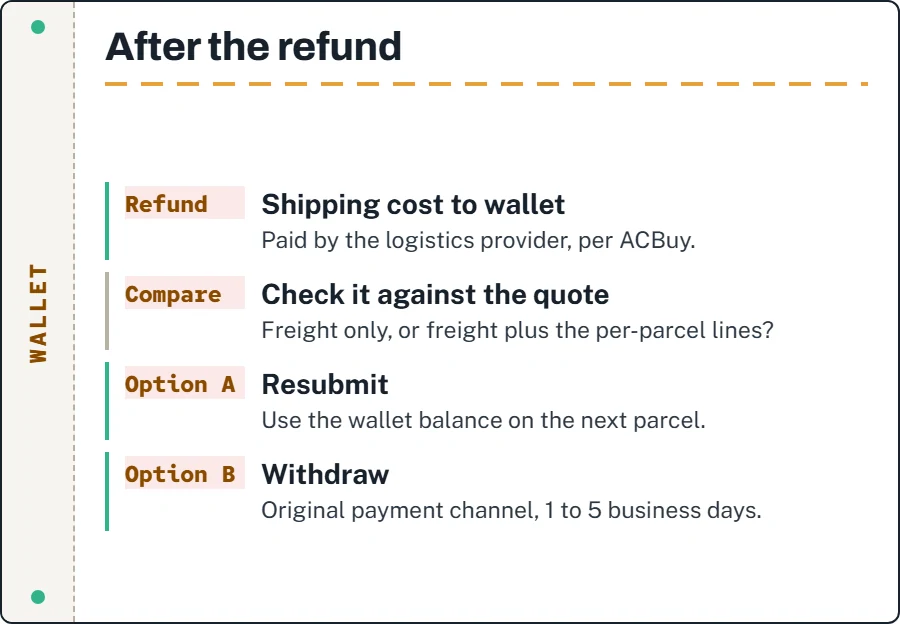
The refund goes to the ACBuy wallet, not to your card. ACBuy's article says the logistics provider refunds the shipping cost there, and the help-centre version agrees. Using the wallet balance for a new parcel and withdrawing it to a payment provider are separate decisions. Withdrawal depends on the original channel and eligibility.
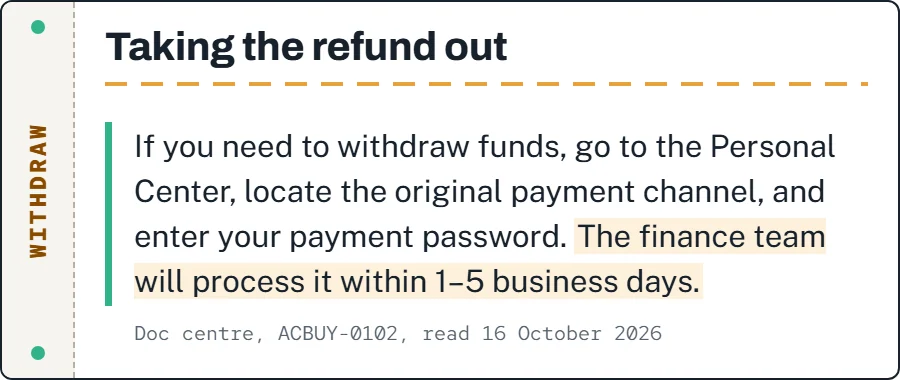
ACBuy’s captured top-up article directs eligible withdrawals through the original payment channel in the Personal Center and describes 1 to 5 business days for finance processing. Its payment FAQ separately excludes Coinpal and SEPA top-ups from refunds and uses a different overall estimate. Check the actual channel, fees and expected receipt time with support; the processing statement is not a guaranteed date on your card. Before you withdraw, check whether the amount matches the freight line of your original quote; if it is lower or higher, that difference is the first thing to ask about, because it tells you how ACBuy treated the declaration and packing lines.
Separate an item refund from a shipping adjustment
A seller cancellation, an item returned from the warehouse and an exported parcel returned to China are different events. Ask which charge is being reversed and where the credit will appear. Item cost, domestic postage, international freight and optional services can have different treatment; one refunded line does not establish that the entire order has been refunded.
Keep the purchase receipt, parcel invoice, tracking event and wallet entry together. If the figures differ, quote the exact charge and ask for its calculation. A credit in the agent balance is not evidence that money has reached your bank. That distinction is why the ledger follows amounts and records rather than interpreting a return scan as a completed reimbursement.
Same route or another one
ACBuy leaves the choice to you and gives no ranking. The help-centre article says you can continue with the same shipping route or change it; the doc-centre article suggests comparing the characteristics of different routes on the ACBuy website first. The place to do that is ACBuy's shipping estimator, which shows every route for a destination and weight without logging in.
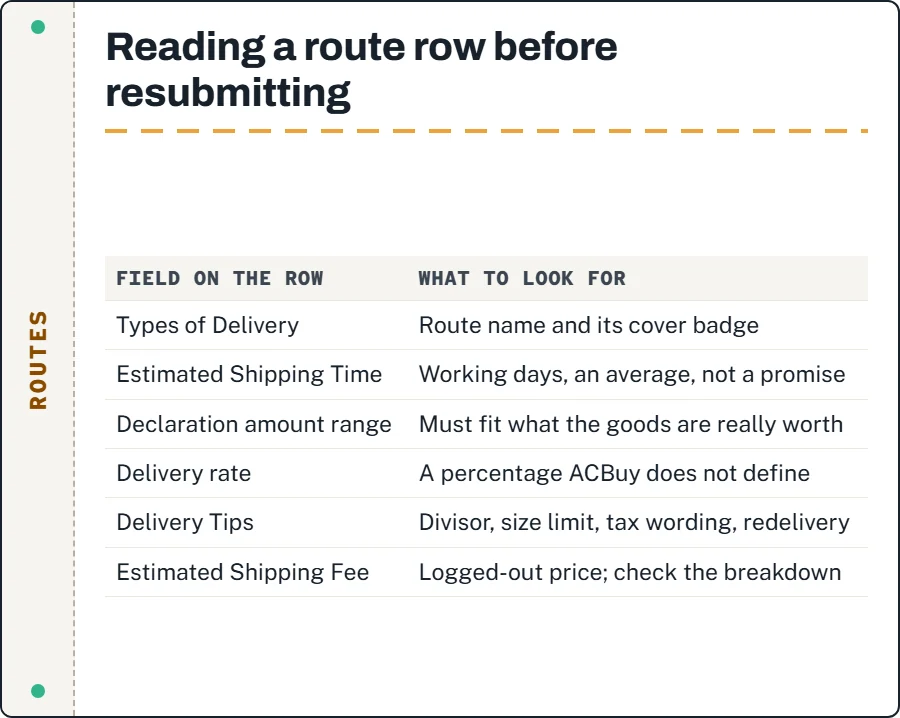
Each route row lists the estimated time, the declaration amount range, a delivery percentage that ACBuy does not define, a cover badge, and a set of delivery tips. The tips are where the real differences hide: the volumetric divisor, the size limit, whether the route is described as tax-free, and what happens if the parcel cannot be delivered. Read those lines for the route you used and for any alternative before you pay again. The shipping cost itself is a separate question from the refund, and it changes; the figures quoted on this site are dated for that reason.
Checking the declaration before resubmitting
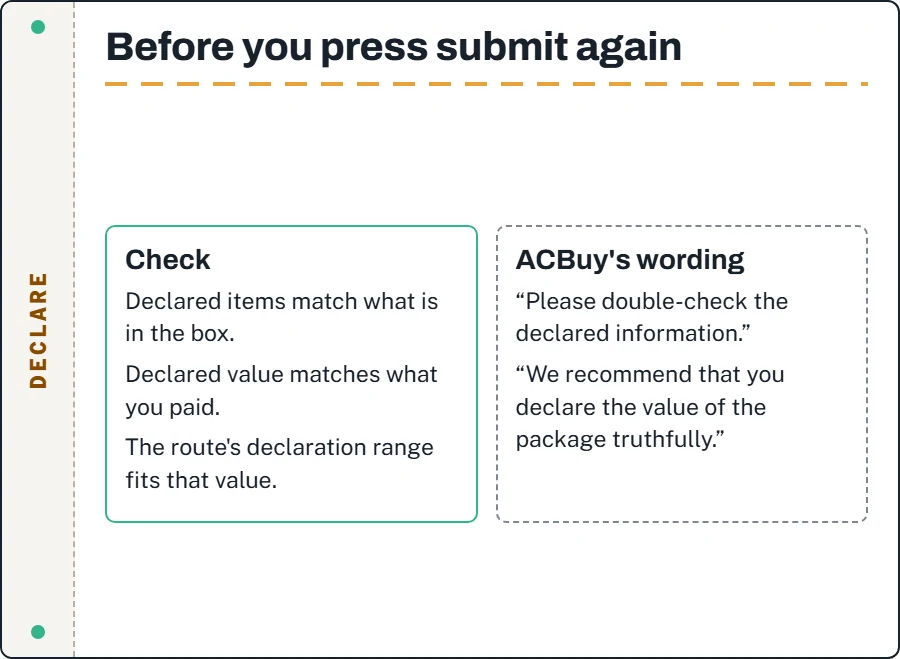
ACBuy's reminder for reshipping is to double-check the declared information. Its parcel transportation agreement recommends declaring the value truthfully and says the declared value is the basis for any claim for lost items. Its submission guide adds that each route has a declared value limit. Put those together and the order of operations is clear: the declaration describes what is in the box and what it cost, and the route is chosen to fit that, not the other way round.
Use accurate item descriptions and values supported by your purchase records. The useful check is simple: compare the declared items and value with your order history for the goods actually inside. Matching records help you provide accurate information; they do not establish why customs returned the parcel. Ask whether there is a recorded issue and confirm route eligibility before another submission.
Questions after the return
Does the free storage period restart after a restock?
ACBuy does not say. Its storage rules count from the date an item turns Stored; whether a restock resets that date is one of the open questions.
Can I add more items before resubmitting?
The restocked goods are ordinary stored items again, so they can be selected with others. Any label on them still applies.
Will the same route definitely work the second time?
No one can say. ACBuy offers the same route and a different route as equally valid choices because it cannot know why customs returned the parcel.